Anúncios
Your thumbs are sweating, your frame rate is dipping, and you just got eliminated because your finger smudged the screen at the worst possible moment. Sound familiar? Mobile gaming has grown into a serious competitive space, but most players still treat their phones like casual toys instead of actual gaming machines. The good news: you don’t need a console, a gaming chair, or a second mortgage to fix that.
With about $50 and a smart shopping list, you can transform that same phone into a setup that feels surprisingly close to pro-tier. Here’s how to spend every dollar where it actually matters.
Anúncios
Why Your Phone Is Already Better Than You Think
Modern smartphones pack chips powerful enough to run games that looked like PC-only titles a few years ago. The bottleneck usually isn’t hardware — it’s everything around the phone: your grip, your controls, your cooling, and your audio. Upgrade those four areas and the performance you already own suddenly starts feeling elite.
Think of it like tuning a car. You’re not swapping the engine; you’re fixing the tires, the seat, and the dashboard so the engine can finally do its job.
The $50 Gaming Upgrade Breakdown
Before buying anything, set a rough budget per category. This split keeps you from overspending on one flashy accessory and ignoring the basics. Here’s a realistic way to divide fifty bucks:
- Controller or trigger grips — around $15 to $20
- Cooling solution — around $8 to $12
- Audio (wired earbuds or adapter) — around $10 to $15
- Screen protector and finger sleeves — around $5 to $8
You don’t need to hit every category on day one. Start with whatever fixes your biggest pain point first.
1. Get a Real Grip on Your Controls
The single biggest upgrade for most mobile gamers is physical controls. Touchscreens are fine for casual play, but shooters, racing games, and platformers demand tactile feedback. You have two main routes depending on your budget.
Option A: Clip-On Trigger Buttons
These small plastic triggers clamp onto the top corners of your phone and press the screen mechanically when you pull them. No Bluetooth, no batteries, no lag. For battle royale and FPS games, suddenly having dedicated shoulder buttons means you can aim, move, and shoot at the same time — the classic four-finger claw grip without the hand cramps.
Expect to spend $8 to $15 for a decent pair. Look for models with adjustable width so they fit your phone with the case on.
Option B: A Full Telescopic Controller
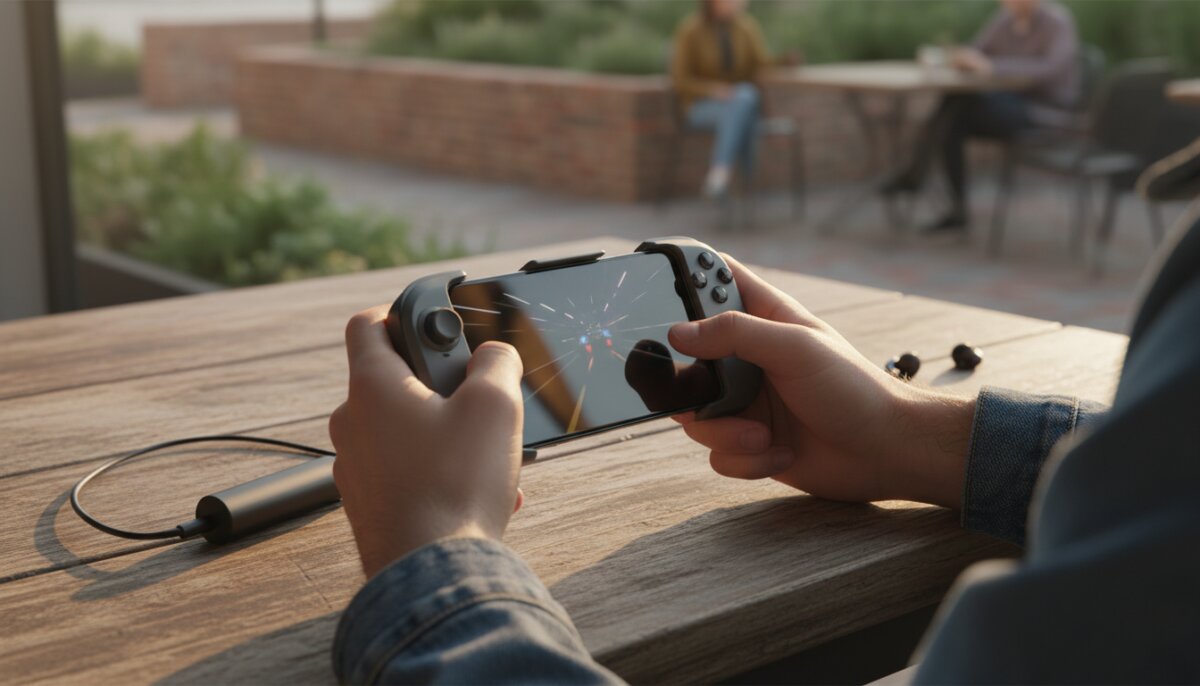
If you’d rather have joysticks, a telescopic controller wraps around your phone and gives you a handheld console feel. Budget models in the $20 to $30 range connect over Bluetooth or USB-C and work with most Android and iOS games that support external controllers.
A few things to check before buying:
- Compatibility with your phone’s OS and screen size
- Whether it charges your phone while you play (passthrough charging is a huge bonus)
- Input lag reports from real users
- Whether your favorite games actually support controllers natively
2. Keep Your Phone Cool Under Pressure
Heat is the silent killer of mobile gaming performance. When your chip gets too hot, it throttles itself to avoid damage — meaning frame rates drop, inputs start lagging, and you lose fights you should have won. Cooling is cheap, and it’s where your $10 goes furthest.
Magnetic or Clip-On Coolers
These small devices attach to the back of your phone and use a Peltier chip plus a fan to actively pull heat away. Entry-level models sit around $10 to $15 and plug into a USB-C port for power. They’re loud-ish but effective, and on long sessions they can keep your phone 10 to 15 degrees cooler than running bare.
Cheaper Alternatives
If you’re stretching every dollar, a couple of low-tech tricks help more than people admit:
- Take your phone case off while gaming — cases trap heat
- Play on a hard, flat surface instead of a bed or couch
- Turn on airplane mode and kill background apps if you don’t need data
- Lower your screen brightness a notch; the display is a heat source too
Combine these habits with a $10 cooler and you’ve basically solved thermal throttling for free.
3. Fix Your Audio Before It Costs You a Match
Competitive players will tell you that audio often matters more than graphics. Hearing footsteps, reloads, or vehicle engines before you see them is a genuine edge. Unfortunately, Bluetooth earbuds add latency — sometimes enough that a gunshot sound arrives after you’ve already been killed.
Go Wired if You Can
A pair of wired in-ear monitors in the $10 to $20 range will destroy most Bluetooth earbuds for gaming. Zero latency, reliable mic quality, and no charging required. If your phone ditched the headphone jack, grab a USB-C or Lightning to 3.5mm adapter for a few dollars and you’re set.
If You Must Go Wireless
Look for earbuds that advertise a dedicated low-latency gaming mode. The audio quality isn’t always amazing, but the latency drop is noticeable. Just know that even the best budget wireless setup can’t beat a $12 wired pair for pure timing.
4. Save Your Screen and Your Thumbs
This is the cheapest category and often the most overlooked. Two small purchases change how your phone feels in your hands during a long session.
A Matte Screen Protector
Glossy screens get covered in smudges within minutes. A matte or anti-glare protector reduces glare, hides fingerprints, and — this is the key part — lets your thumbs glide instead of drag. For swipe-heavy games, the difference is immediate. Budget around $5 to $8.
Finger Sleeves
These look silly. They work anyway. Thin fabric sleeves with a conductive tip fit over your thumbs or index fingers and eliminate sweat drag entirely. A pack of two pairs runs around $3 to $5. If you’ve ever lost a match because your thumb stuck to the screen mid-swipe, you already understand the value.
Smart Software Tweaks That Cost Nothing
Hardware is half the battle. The other half lives inside your phone’s settings, and none of it costs a cent.
- Enable your phone’s built-in game mode if it has one — it silences notifications, prioritizes resources, and blocks accidental swipes
- Turn off auto-brightness during gaming so your screen doesn’t flicker mid-match
- Clear background apps before launching a match
- Set your display to the highest refresh rate your phone supports
- Use Wi-Fi over mobile data when possible for more stable ping
- Disable haptic feedback in-game if your phone runs hot — vibration motors generate heat
These tweaks stack with your hardware upgrades. Do both and the jump in performance feels almost unreasonable for the price.
Pros and Cons of a Budget Mobile Setup
The Upsides
- Total cost under $50 beats almost any other gaming investment
- Everything is portable — your entire rig fits in a small pouch
- Upgrades carry over when you change phones
- You can play anywhere, from a train seat to a coffee shop
The Trade-Offs
- Battery drains faster when you’re using coolers and controllers
- Not every game supports external controllers
- Budget accessories can feel plasticky compared to premium gear
- You’ll still hit limits on graphically demanding titles over long sessions
Quick Buying Checklist Before You Spend
Before you click buy on anything, run through this short mental checklist to avoid wasting money on gear that won’t work with your phone or your games.
- Confirm your phone’s port type and OS version
- Check that your main games support the accessory you’re buying
- Read recent user reviews, not just the product description
- Prioritize the pain point that’s hurting your gameplay most right now
- Leave $5 to $10 in the budget for a small accessory you didn’t plan for
Small Budget, Serious Results
A pro-feeling mobile setup isn’t about buying the most expensive gear — it’s about plugging the specific holes that drag your gameplay down. Controls, cooling, audio, and grip. Handle those four, add a few free software tweaks, and your phone stops feeling like a compromise and starts feeling like the gaming device it always had the potential to be.
Start with whichever upgrade fixes your most annoying problem first, then build out from there. Fifty dollars, spent in the right order, goes a shockingly long way.